The most common mistake in buying a first laser is not budget - it is buying the wrong type. Fiber and diode lasers emit at completely different wavelengths, and materials absorb those wavelengths completely differently. Buy a diode because it is cheap and you will find it cannot mark bare metal. Buy a fiber because it does metal and you will find it barely touches clear acrylic. Most people discover this after the machine arrives.
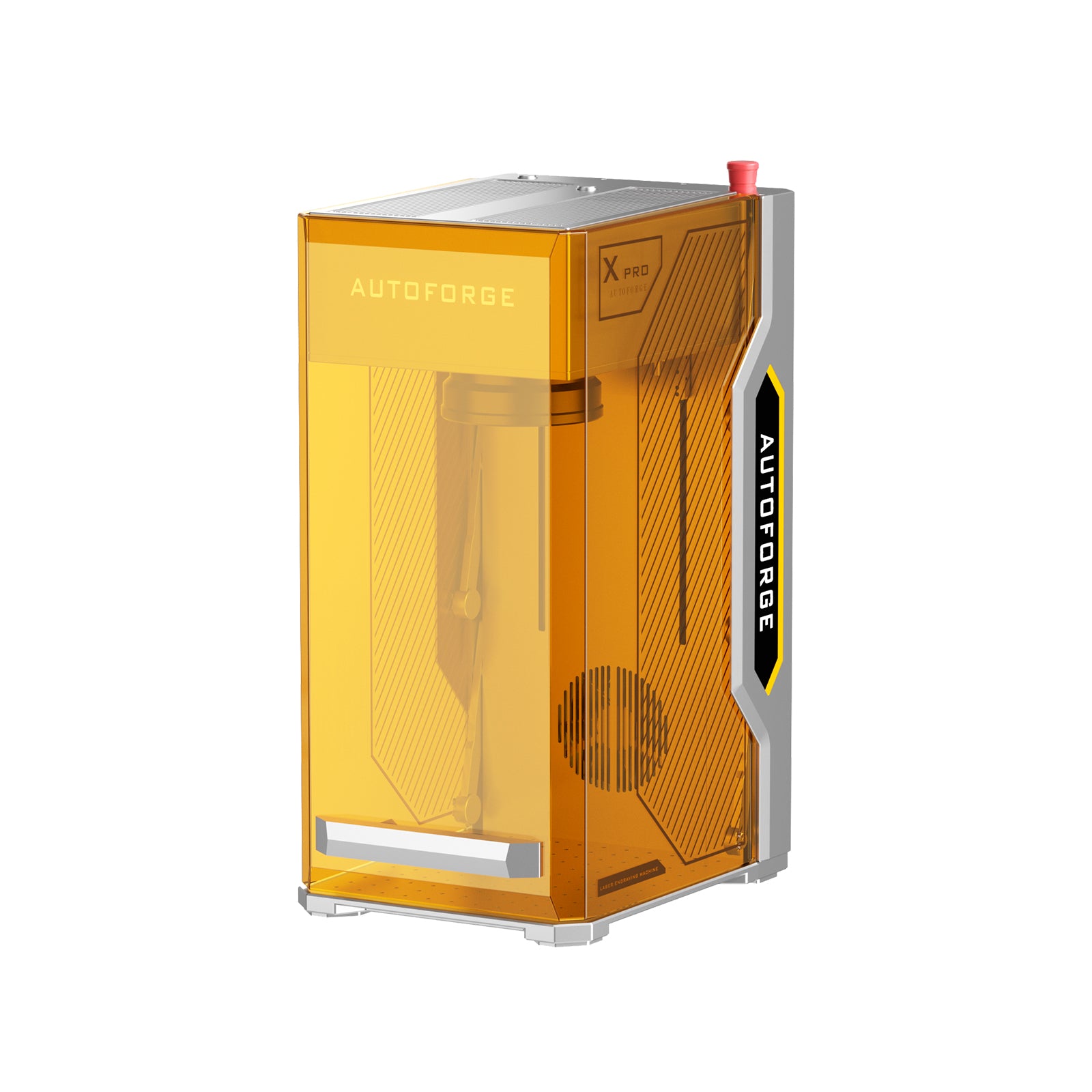
The Monport Autoforge XPro - $3,499.99, down from $5,699.99 - answers that problem by putting both sources in one enclosure. It is a genuinely sensible idea. Here is what it does and what it does not come with.

Published specification
| Specification | Value |
|---|---|
| Laser source 1 | 30 W fiber |
| Laser source 2 | 20 W diode |
| Maximum engraving speed | 15,000 mm/s |
| Camera | 16 MP HD, preview before engraving |
| Focus | One-click autofocus |
| Batch work | One-click batch engraving |
| Material range | Marketed as metal to wood in one workflow |
| Stated as coming soon | "Load once, keep producing" feature |
| Price | $3,499.99 (regular $5,699.99) |
Why fiber plus diode is the right pairing
This is worth understanding properly, because it is the entire justification for the machine.
A fiber laser emits at roughly 1064 nm - near infrared. Metals absorb that wavelength well, which is why fiber is the standard for marking stainless steel, aluminium, brass and titanium, and for deep engraving on tools and firearms. It is largely useless on clear acrylic and poor on many organics.
A diode laser emits in the blue range, around 450 nm. Organic materials and dark surfaces absorb blue light readily, so diodes cut and engrave wood, leather, card, dark acrylic and painted surfaces well. They struggle with bare shiny metal, which reflects them.
Put both in one frame with shared motion control and you cover the two halves of the small-shop market without owning two machines, two work areas and two software setups. For anyone making mixed products - a wooden box with an engraved steel plate, leather goods with metal hardware, personalised tools - that is a real workflow advantage rather than a spec-sheet one.
The 16 MP camera with preview is the other feature I would highlight. Alignment is where beginners waste material: you position the job, run it, and discover the engraving sits 4 mm off centre on a part you only had one of. Seeing the job overlaid on the workpiece before firing eliminates most of that waste. Combined with one-click autofocus, which removes the manual focus-gauge step, this is aimed squarely at reducing the two most common sources of ruined parts.

Three honest drawbacks
1. Fume extraction is essential, expensive, and not included. This is the most important practical point. Engraving metal, painted surfaces, plastics and wood produces fine particulate and, depending on material, genuinely hazardous fume - marking coated metals or anything containing chlorine is not something to do in an unventilated room. Monport sells a 600 W laser fume extractor separately, listed at around $1,999.99, and lists its shipping time as 60 to 70 days. So the realistic entry cost is well above $3,499.99, and the wait on the extraction may be longer than the wait on the machine. Budget and order accordingly; do not plan to "sort ventilation later".
2. Two wavelengths means two sets of laser safety eyewear. Protective goggles are wavelength-specific. Glasses rated for a 450 nm diode do not protect against 1064 nm fiber, and vice versa - and 1064 nm is particularly dangerous because it is invisible, so your blink reflex never triggers. If you buy a dual-source machine, confirm with Monport exactly what eyewear ships with it and what rating it carries, and buy the correct OD-rated goggles for both wavelengths if they are not included. This is not an optional accessory.
3. One advertised feature is explicitly "coming soon". The "load once, keep producing" capability is listed among the machine's headline bullets with that caveat attached. Paying today for functionality that does not yet exist is a risk, however reputable the vendor - firmware roadmaps slip. Ask for a delivery date in writing, and make your buying decision based only on what the machine does the day it arrives.
Two further gaps worth closing before you order: the listing publishes no work area dimensions for either source, and no warranty term. Work area is the specification that determines what you can physically make. Also note a pricing oddity elsewhere in Monport's catalogue - the fume extractor shows a price above its own comparison figure - which is a reason to check every total in your cart rather than trusting the displayed discounts.
Who should buy it - and who should not
Buy it if you run or are starting a small production business making mixed-material goods, you have a properly ventilated workspace or the budget to create one, and you would otherwise be buying two machines. The camera and autofocus meaningfully reduce scrap, 15,000 mm/s is genuinely quick for galvo work, and $3,499.99 for two sources undercuts buying a fiber and a diode separately.
Skip it if you only work in one material family - a dedicated fiber or a dedicated diode will be cheaper and better at that one job. Skip it if you cannot arrange proper extraction, if you are working in a shared or residential space without ventilation, or if you need the work area dimensions confirmed before committing several thousand dollars.
Verdict
The core idea is right and well executed: two complementary laser sources, one motion system, one software workflow, with camera alignment and autofocus to cut down on wasted material. For a mixed-material maker that is a genuinely strong proposition at this price. What Monport does not do is present the full cost or the full safety picture - extraction is a four-figure addition with a long lead time, dual wavelengths need dual eyewear, and one headline feature is not shipping yet. Price the whole setup, not the machine.
Current pricing and the wider range are on the official Monport store, and our brand overview is on the Monportlaser store page.
Disclosure: this article contains affiliate links. If you buy through them we may earn a commission at no extra cost to you. All specifications and prices were taken from the manufacturer's official product page and are subject to change. Laser engravers present serious eye, fire and inhalation hazards - always use wavelength-appropriate protective eyewear, adequate fume extraction and fire precautions, and follow the manufacturer's safety instructions.