I spend most of my working life staring at colour-critical panels and arguing with people about why their second monitor makes their MacBook look like a different computer. That mismatch is the single most common complaint I hear from photographers, editors and developers who bought a cheap 1080p travel screen and then wondered why their exports looked wrong. So when a portable display shows up claiming 100% DCI-P3 and a 3K panel at 16 inches, I pay attention - because that is the exact combination that fixes the problem.
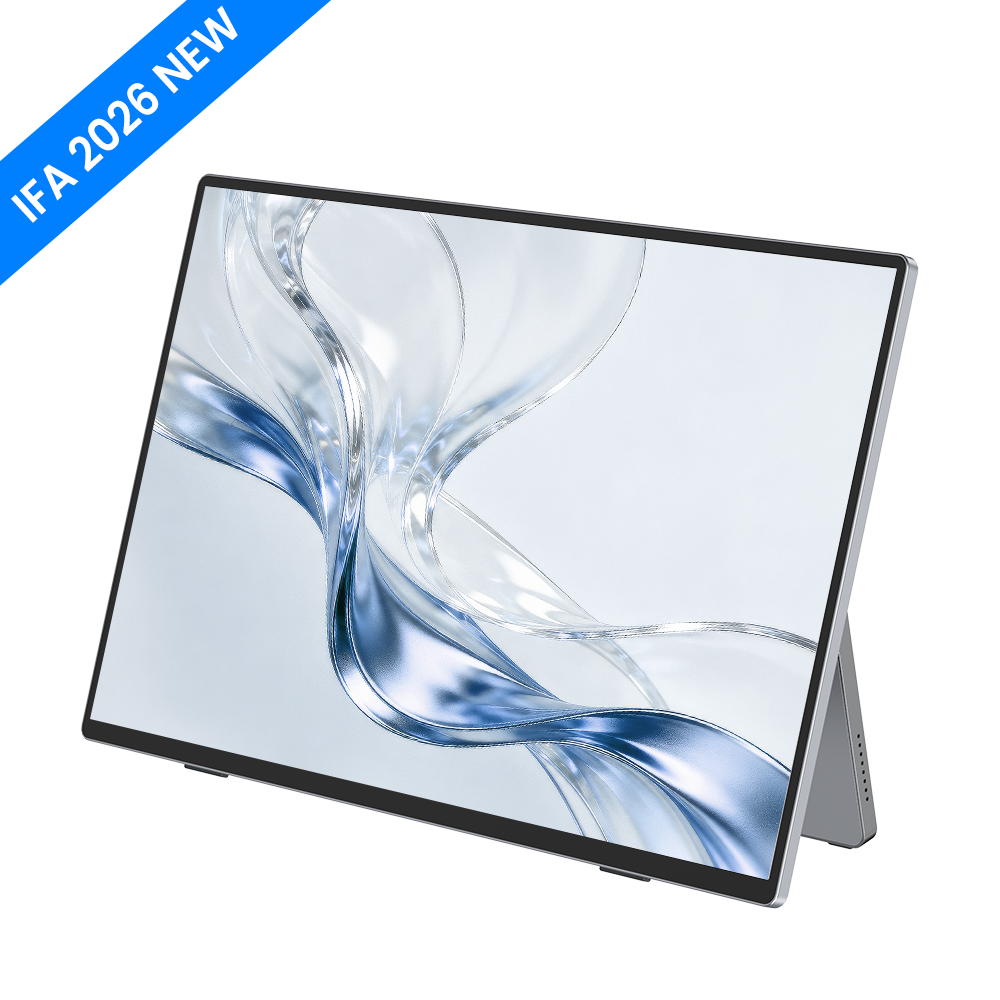
The UPERFECT MX16BU is a 16-inch, 16:10, 3K OLED external monitor built specifically as a MacBook companion. It is currently listed at $389.99, down from $499.99, under UPERFECT's Super Early Bird pricing. Here is what the spec sheet actually says, and where I think it falls short.

The spec sheet, straight from UPERFECT
I am reproducing the manufacturer's published parameter table rather than paraphrasing it, because portable monitor marketing is notoriously loose with terms like "2K" and "HDR".
| Parameter | Value |
|---|---|
| Brand / Series / Model | UPERFECT / Minimalist / MX16BU |
| Screen size | 16 inch |
| Panel type | OLED |
| Resolution | 2880 x 1800 |
| Pixels per inch | 212.00 PPI |
| Display ratio | 16:10 |
| Refresh rate | 60Hz |
| Contrast ratio | 30000:1 |
| Brightness | 450 cd/m2 |
| Colour gamut | 100% DCI-P3 |
| Viewing angle | 178 degrees |
| Screen type | Mirror (glossy) |
| Touch screen | No |
| Built-in battery | No |
| Gravity sensor | No |
| VESA | No |
| Material | Metal |
| Driver free | Yes |
| Stand holder | Included |
Why the 16:10 and 212 PPI numbers matter more than the OLED badge
Everyone leads with "OLED". I want to lead with the geometry. A 16-inch MacBook Pro runs a 16:10 panel at roughly 254 PPI; a 14-inch runs 16:10 at a similar density. The overwhelming majority of portable monitors are 16:9 at 1920x1080, which works out to around 141 PPI. Put those side by side and macOS has to scale differently on each screen, your menu bar changes size when you drag a window across, and text weight shifts noticeably.
At 2880 x 1800 and 212 PPI in a 16:10 shape, the MX16BU sits in the same aspect ratio and the same rough density class as the laptop it is designed to sit beside. That is the practical reason to spend $389.99 instead of $150 on a generic 1080p slab. It is a workflow fix, not a spec-sheet flex.
The 100% DCI-P3 claim is the other half of that argument. Apple's displays target P3, so a companion screen covering P3 is the difference between colour-managed work being consistent and being approximately right. The published 30000:1 contrast ratio is a plausible OLED figure - self-emissive pixels switch off entirely, which is why OLED contrast numbers are quoted so high.

What UPERFECT gets right
- Correct aspect ratio and density. 16:10 at 212 PPI is the single best design decision here, and almost nobody else in the portable segment does it.
- Genuine P3 coverage on a self-emissive panel. For anyone grading, retouching or designing, this is the reason to look past cheaper LCD options.
- Driver-free operation with a stand in the box. No utility to install, and you are not immediately buying an accessory just to prop it up.
- Aluminium alloy construction. The parameter table lists metal, not plastic - relevant for something you will throw in a bag.
- 450 cd/m2 peak brightness. Comfortably enough for indoor and office use.
- Support terms. UPERFECT publishes a 2-year warranty and a 60-day return window, with free worldwide delivery.
Three things I would want you to know before you order
This is where I part company with most of the coverage this panel will get.
1. It is 60Hz, and it is currently a pre-order. UPERFECT's own product page states that pre-orders ship at the end of November. If you need a monitor this month, this is not your monitor. And at 60Hz, the "OLED" halo does not buy you motion clarity - this is a productivity and colour panel, not a gaming one. If you want high refresh from the same brand, their GR-series 120Hz and 240Hz models exist for a reason.
2. No VESA mount, no built-in battery, no gravity sensor. All three are listed as "No" in the official parameter table. That means you cannot arm-mount it without buying UPERFECT's separate UStand VESA desk mount (listed at $39.99, down from $59.99), you must power it from your laptop or a wall adapter, and it will not auto-rotate when you stand it vertically. For a display marketed on minimalism, those are real workflow constraints.
3. The screen finish is listed as "Mirror". Glossy panels give OLED its best-looking contrast and colour saturation, and they are miserable under overhead office lighting or a window behind you. If you work in a bright room, budget for repositioning your desk. There is no matte option.
A fourth, smaller point: it is not a touchscreen. Several competing 16-inch portables in this price band are. If touch input matters to you, look at UPERFECT's MX17BU 17-inch 3K touch model instead.
Who should buy it - and who should not
Buy it if you work on a MacBook Pro or Air, you care about colour accuracy, and the aspect-ratio mismatch on your current second screen genuinely bothers you. Photographers, video editors, UI designers and front-end developers are the target buyer, and for that group the 16:10 / P3 / 212 PPI combination is hard to find anywhere near $389.99.
Skip it if you are a gamer (60Hz), you need a screen this week (pre-order), you need to arm-mount it out of the box (no VESA), you work in a bright room (glossy), or you want touch input. Any one of those is enough to disqualify it, and none of them are hidden - they are all in UPERFECT's own spec table, which I appreciate.
Verdict
The MX16BU is a specialist tool that knows exactly what it is. UPERFECT did not try to make a do-everything portable monitor; they made a colour-accurate, correctly-shaped second screen for Mac users and left out touch, VESA, battery and high refresh to hit the price. At $389.99 against a $499.99 list, with a 2-year warranty and a 60-day return window, that is a coherent trade. Just go in knowing which four things you are giving up.
You can check current pricing and the full parameter table on the official UPERFECT store, and I have collected the brand's current offers and background on our Uperfect store page.
Disclosure: this article contains affiliate links. If you buy through them we may earn a commission at no extra cost to you. All specifications and prices quoted were taken from the manufacturer's official product page and are subject to change.