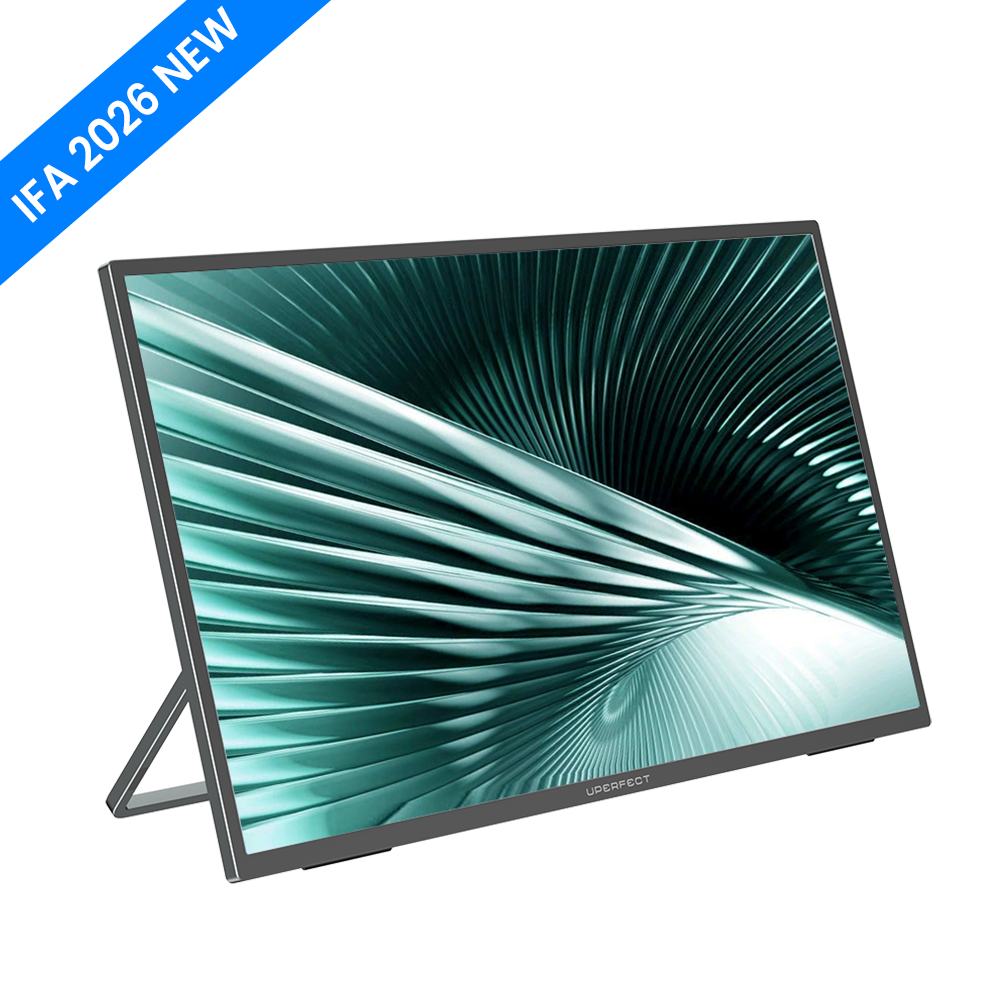
I spend my working life in editors, terminals and pull requests, and I have long held an unfashionable opinion: the widescreen monitor is the wrong shape for reading code. Source files are tall and narrow. Diffs are tall and narrow. Log output is tall and narrow. Almost everything a developer stares at all day wants vertical space, and almost every display sold to us optimises for horizontal. The UPERFECT SC142BQ is one of the few products built around that observation rather than around a film aspect ratio.

Specifications
| Model | UPERFECT SC142BQ |
|---|---|
| Screen size | 14.2 inches |
| Aspect ratio | 2:3 (native portrait) |
| Resolution | 1600 × 2328 |
| Contrast ratio | 1500:1 |
| Colour gamut | 100% sRGB |
| Stand | Ergonomic stand designed for portrait orientation |
| Ports and controls | Positioned specifically for portrait use |
| Price | $249.99 (regular price $329.99) |
| Availability | Pre-order — UPERFECT states shipping at the end of November |
Why a Native 2:3 Panel Beats a Rotated 16:9
You can rotate a normal monitor. You mostly should not.
Every desk-mounted 16:9 display can be turned on its side, and plenty of developers do it. The problem is that everything around the panel was designed for landscape: the stand's centre of gravity, the port placement, the OSD buttons, and often the panel's viewing-angle characteristics, which are not symmetrical once rotated. UPERFECT's pitch is that the SC142BQ was designed portrait-first — the stand, the button placement and the port positions all assume the tall orientation. That is a small thing that removes a daily irritation.
1600 × 2328 is the number that makes it work
Vertical resolution is the currency of a coding display, and 2,328 pixels of it at 14.2 inches yields a pixel density high enough that small type stays crisp. This is the difference between a portrait monitor that shows more lines and one that shows more lines you can actually read. The 2:3 ratio is also noticeably less extreme than a rotated 16:9, which at this size can feel like reading through a letterbox.

100% sRGB and 1500:1 contrast are the right priorities
For text work, contrast ratio matters far more than peak brightness or exotic colour spaces. A 1500:1 ratio gives well-separated blacks and whites, which is what reduces eye strain over an eight-hour session of dark-theme editing. Full sRGB coverage means that when you do drop into a design tool or review a screenshot, colours are trustworthy without a calibration ritual.
The size is deliberate
At 14.2 inches this is meant to sit beside a main display or a laptop, not replace one. That is the correct scope for the product. A vertical panel is a companion surface — documentation on one side, code on the other — and a 14.2-inch footprint fits on a real desk next to a real laptop without a monitor arm and a rethink of your entire setup.
Four Things That Should Give You Pause
1. It is a pre-order, with a stated end-of-November ship date
UPERFECT is explicit that this is a pre-order and that units ship at the end of November. That is honest disclosure, but it also means you are paying $249.99 now for hardware you cannot evaluate for some weeks. If you need a second screen this month, this is not the product.
2. The published specification is thin in places
The listing gives resolution, contrast, aspect ratio and gamut, but does not publish refresh rate, peak brightness in nits, panel technology or the specific port complement. For a text-focused monitor those omissions matter less than they would for a gaming display, but "I don't know the brightness" is a real gap if you work near a window. Ask before ordering if that is a constraint for you.
3. The 2:3 shape is genuinely niche
This display is optimised for one job. If you also want a screen for video, spreadsheets with many columns, or side-by-side windows, a portrait panel is actively the wrong tool, and you will find yourself dragging things onto your other display constantly. Buy it as a specialist, not as a general-purpose second monitor.
4. UPERFECT's own range undercuts the value argument in places
Within the same catalogue, the UD14BQ 14-inch 2K QLED HDR pen display is $399.99, the GR14BU 14-inch 3K OLED 120Hz touchscreen is $399.99, and the BE156WF 15.6-inch wireless touch business monitor is $199.99 down from $279.99. The SC142BQ's $249.99 asking price sits in the middle of a crowded line-up, and the case for it rests entirely on the vertical orientation rather than on panel technology. If the portrait shape is not the point for you, better-specified panels sit close by.
Who This Monitor Is For
- Developers and technical writers who read far more than they scroll horizontally.
- Anyone who has rotated a 16:9 monitor and been annoyed by the stand, ports and buttons ever since.
- Terminal and log-heavy workflows — observability, sysadmin, data engineering — where vertical lines are the unit of work.
- Small-desk setups that want a second surface without surrendering the whole desk to it.
Who Should Skip It
- Anyone who needs a display now. The pre-order timing is disqualifying if you have a deadline.
- Mixed-use buyers who want one screen for code, video and spreadsheets.
- Colour-critical creatives — 100% sRGB is right for text, but a wider gamut panel is what print and video work call for.
- Users in bright rooms who need a published brightness figure before committing.
Verdict
The SC142BQ is a product with an opinion, and the opinion is correct: code is vertical, and a display designed portrait-first is better at showing it than a landscape display turned sideways. The 1600 × 2328 resolution gives it the pixel budget to make that argument properly, and 100% sRGB with 1500:1 contrast are the right specifications for text. What holds it back is not the design but the disclosure — a pre-order ship date at the end of November and a published spec sheet with real gaps mean you are buying partly on trust. At $249.99 against a $329.99 regular price, it is fairly priced for what it uniquely does. If you have wanted a proper vertical monitor for years, this is the shape you have been asking for. If you were only mildly curious, wait for units to ship and for the full specification to be published.
Check current UPERFECT SC142BQ pricing and pre-order status here.
See every live offer on the Uperfect store page, or go directly to the official UPERFECT store.
Disclosure: this article contains affiliate links. If you buy through them we may earn a commission at no additional cost to you. Specifications and prices are taken from the official product listing at the time of writing and may change.